
Your content stays on your Mac
Screenshots, recordings, clipboard items and translations are processed on your Mac and never uploaded to FloGravity servers.
Read the privacy policy holds your Mac'sentire toolbox.
Launcher, screenshots, annotation, screen recording, clipboard, archives, image tools… 31 everyday tools. Small, refined and beautiful, and one keystroke away.
 One FloGravity20+ fewer apps to install
Press ⌥Fand a panel laid out exactly like your keyboard appears. Each key holds an app, web page or tool you put there. Press a key to open what's on it.
Return opens the first result Esc back to the 38 keys
Try it: click the panel, then press W, A or C on your keyboard. On a phone, tap a key.
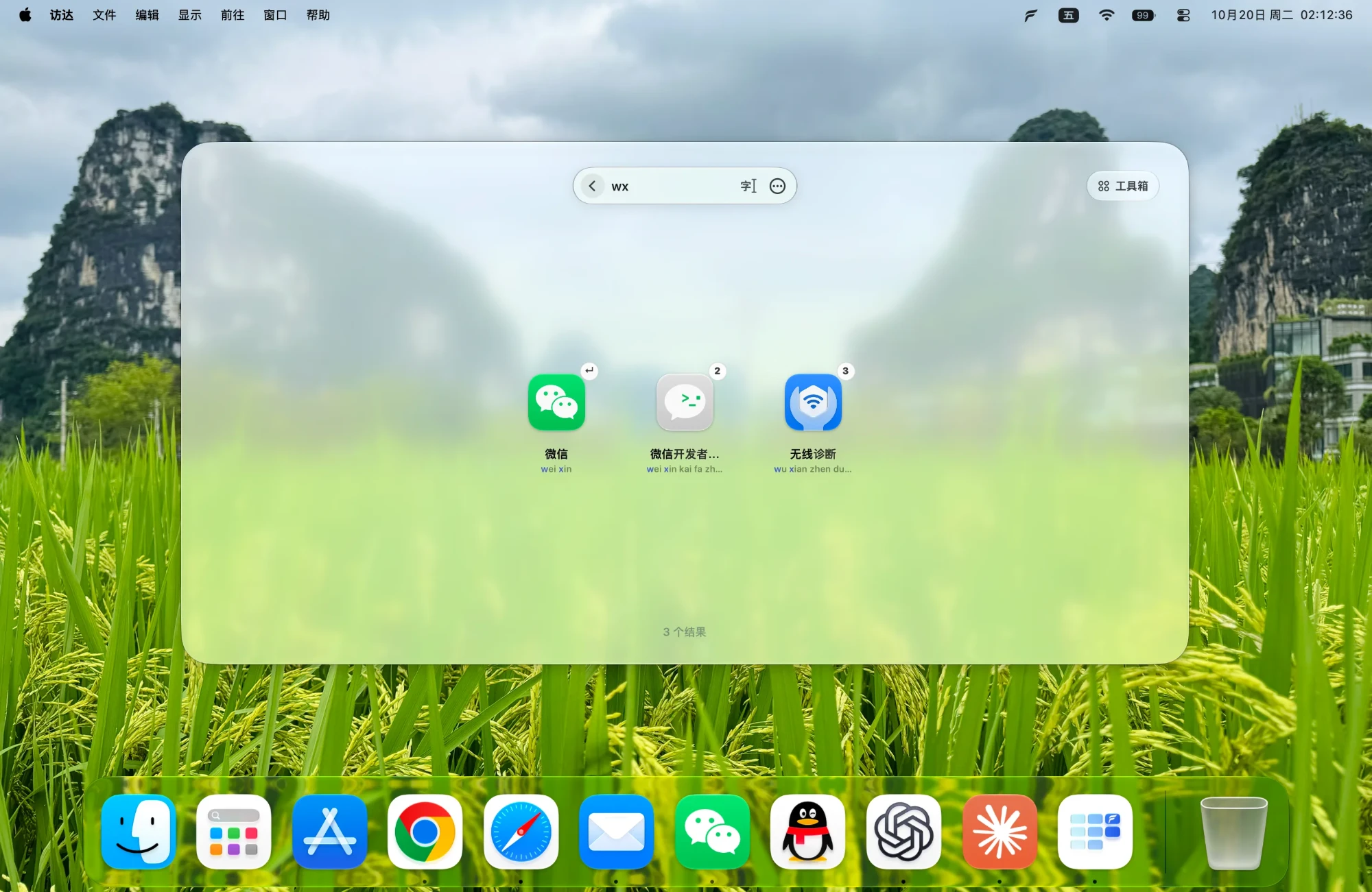
Search by name, initials or pinyin: type "we" for WeChat. Return opens the first result, and 1 to 0 launch the top row.
Screenshot on A, Clipboard on C, Translation on T, or wherever you like. Press ⌥F then the key to use a tool. For your favorites, hold ⌃ with the key to open them in one step. Turn off the tools you don't need and they use no memory.
The letter in the corner is the example key from the demo above. Click any tool for details, use ← → to move between them, and Esc to close.
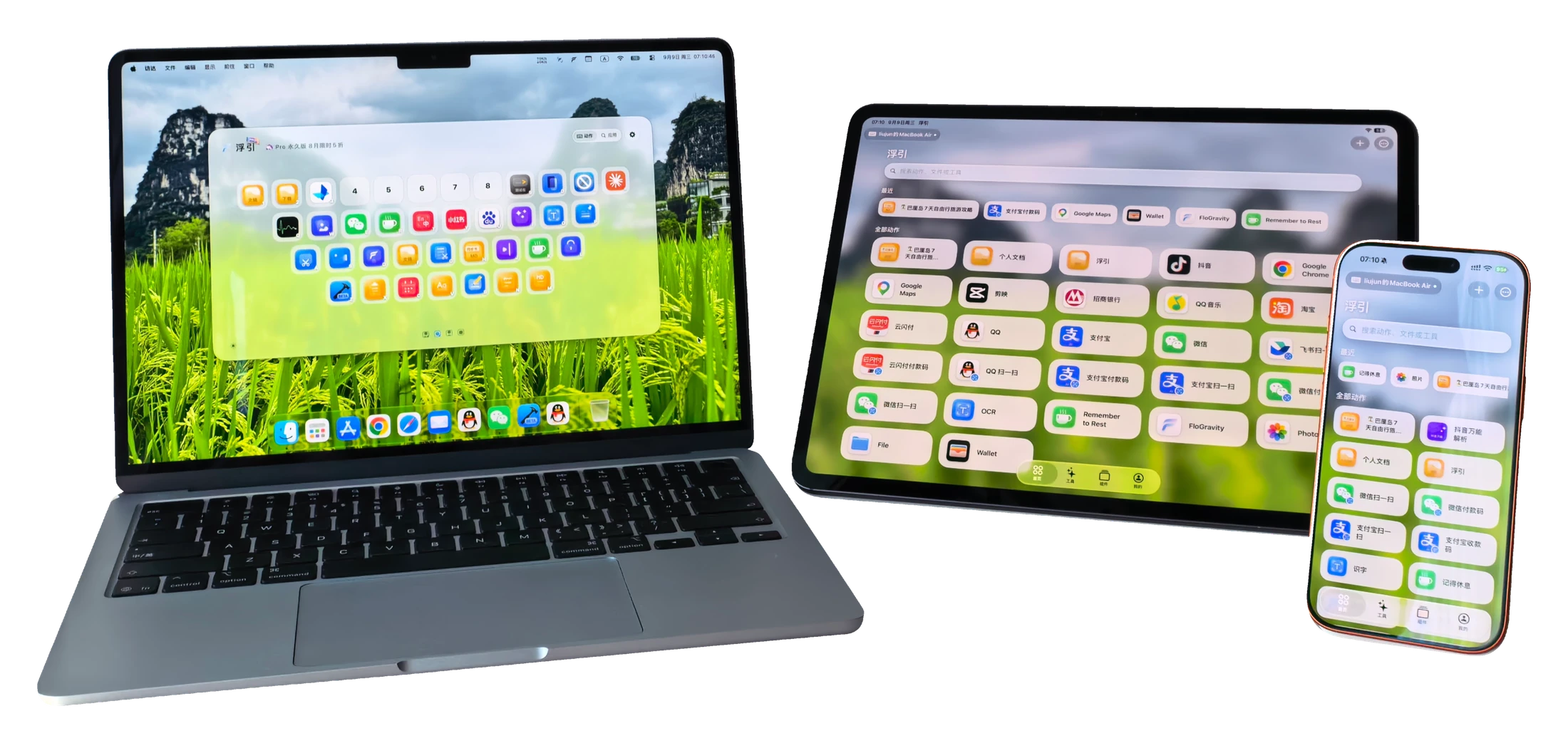
 Control your MacOnce paired, trigger actions, open apps and control playback. Use iPad as a console beside your desk.
 Tools on the goScrolling screenshots, text recognition, image tools and widgets work even without a Mac.
Requires iOS / iPadOS 17 or later. Remote control needs a paired Mac running FloGravity; touch input, keyboard shortcuts and similar features need the website version for Mac.
FloGravity for Mac is available in these 15 languages.
Screenshots, recordings, clipboard items and translations are processed on your Mac and never uploaded to FloGravity servers.
Read the privacy policyNo ads, and no ad-tracking SDKs of any kind.
The website version is notarized by Apple, and you can also install it from the Mac App Store.
Every release spells out what changed.
View release notesBoth versions have the same tools and are free to download. They differ in how you summon FloGravity and in a few features that need system permissions. Full comparison below.
| Features | Website version | App Store version |
|---|---|---|
| Screenshots, recording, clipboard, translation, image tools, archives and more | Available | Available |
| Key combination | Available | Available |
| Summon with a single key, double press, long press or mouse button | Available | Not available |
| Four-finger pinch | Available | Not available |
| Priority shortcut handling | Available | Not available |
| Voice input by single key or press-and-hold | Available | Key combination only |
| Auto-scrolling screenshot | Available | Manual scrolling |
| Screenshot detects interface elements | Available | Windows only |
| Shell script actions | Available | Not available |
| Phone as keyboard and trackpad | Available | Trigger actions only |
| Cleaning mode blocks keys | System-wide | Only while its window is in front |
| Uninstall apps | Can remove leftovers | Deletes the app only |
| Overwrite originals in batch image tools | Available | Not available |
| Updates | In-app updates | App Store updates |
Follow the guide to grant the permissions it needs, then put a few favorite apps and tools on keys. You can turn off tools you don't use at any time.
Yes. Every tool in the Mac app works on its own; iPhone and iPad are optional companions.
Send an email or a message to the 浮宇宙 WeChat official account. Contact details are at the bottom of this page.